Your keys stay on this device.
Your recovery phrase is encrypted with your password. The wallet locks after inactivity, and when your computer’s screen locks.

 AI
YOUR ZCASH. YOUR KEYS.
A shielded Zcash wallet for Chrome. Send, receive, and put your Zcash to use, with your keys on your device.
No account. No email. Your wallet.
Chrome Web Store review in progress
MEET YOUR EVERYDAY WALLET
Your balances, your payments,
and what happens next.
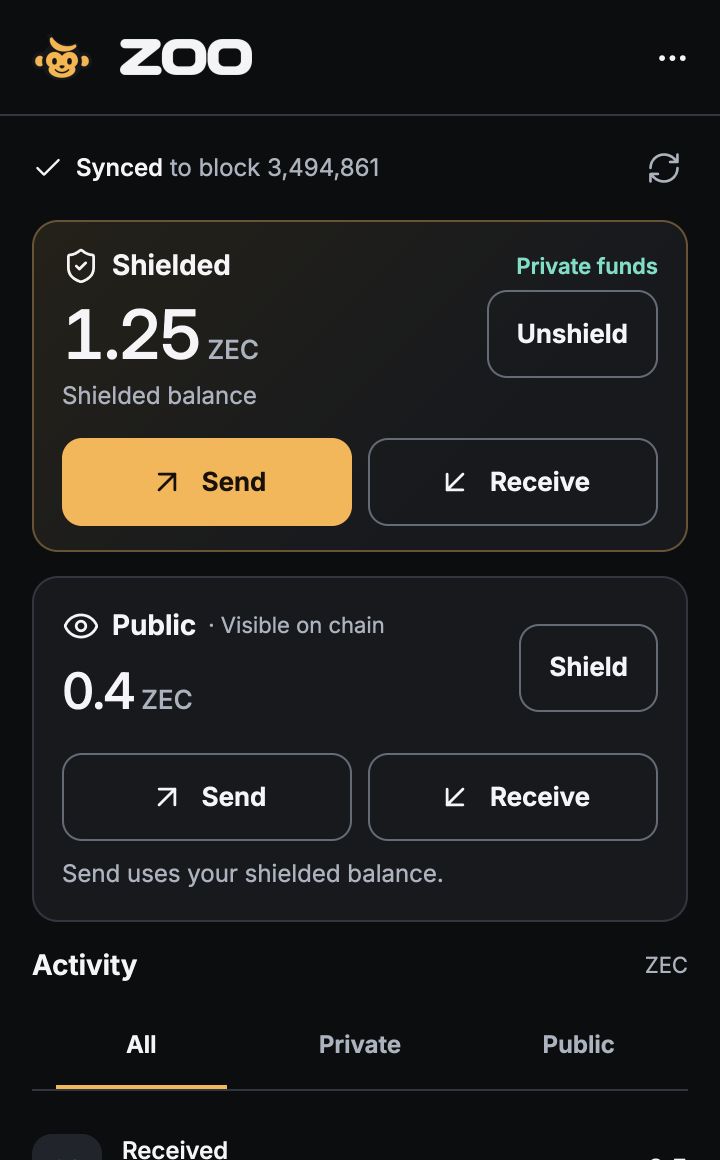
See shielded and public Zcash side by side, money on its way in, and every payment in Activity.
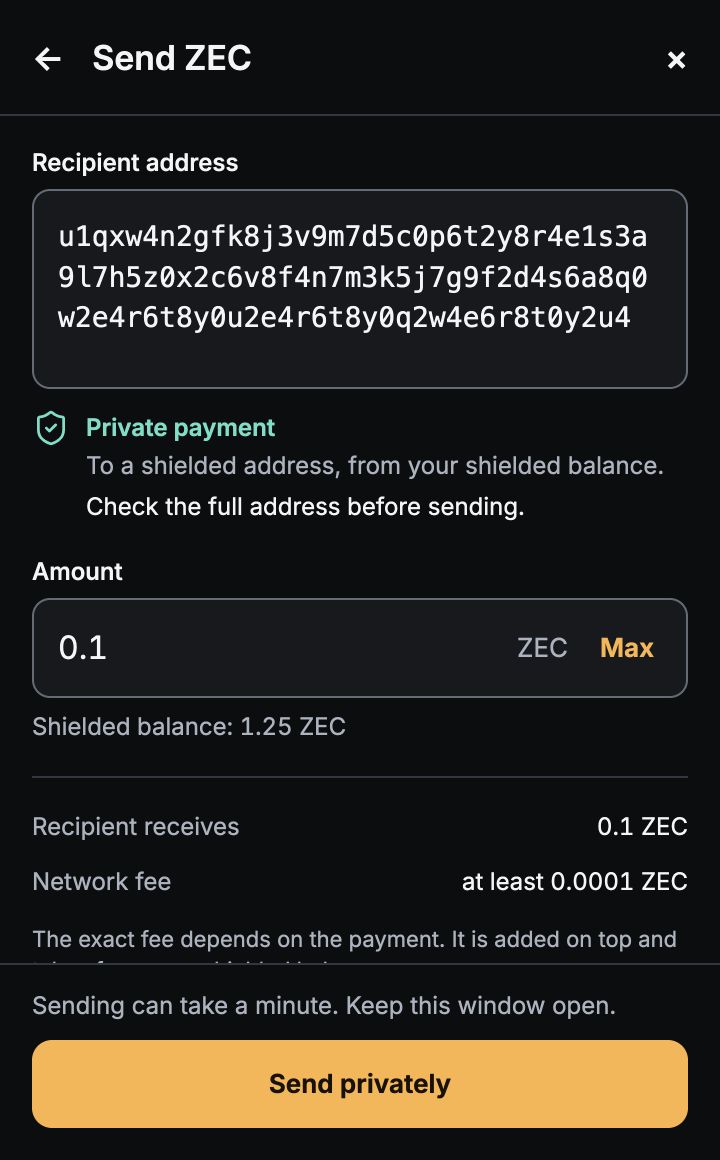
Enter an address and amount. ZOO shows whether the payment is private or public, along with the network fee before you send.
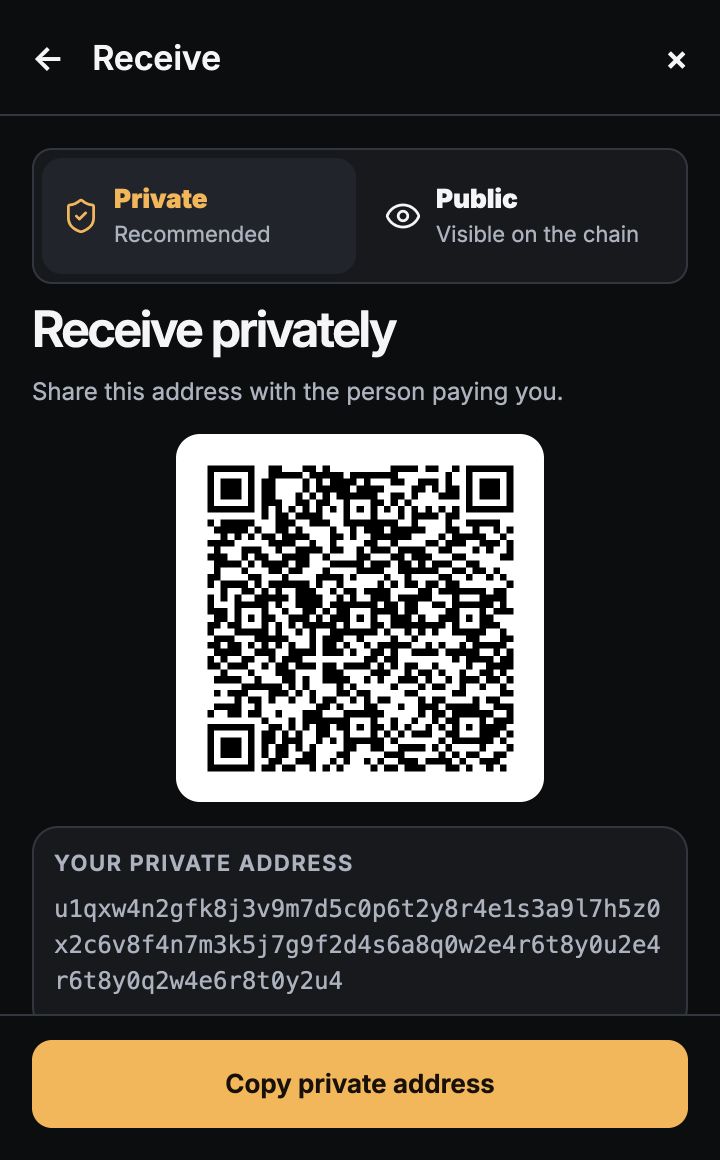
Receive with a QR code or copy your address. Choose a public address when the sender cannot pay a shielded one.
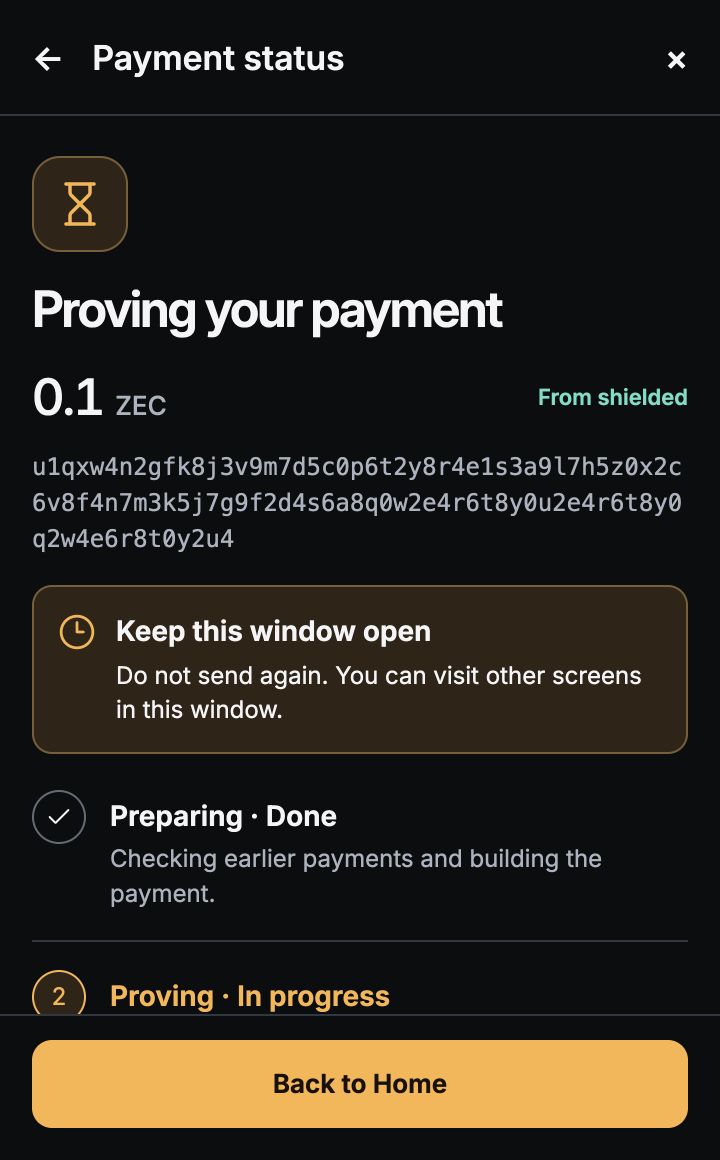
See your payment move through preparing, proving, and sending. Once the network accepts it, your transaction ID is available.
Product screens shown with sample data. Select a screenshot to view it at full resolution. Example QR codes are not payment destinations.
CONTROL THAT STAYS WITH YOU
Your recovery phrase is encrypted with your password. The wallet locks after inactivity, and when your computer’s screen locks.
Create a new wallet or restore one you already own. Keep your recovery phrase somewhere safe offline. It’s your way back in.
No ZOO account required. Your wallet works independently. A ZOO sign-in passkey does not replace your wallet’s recovery phrase.
CHROME EXTENSION · UNDER REVIEW
ZOO Wallet is under review in the Chrome Web Store. The official installation link will appear here when it is approved.
Once approved, install ZOO Wallet from its official Chrome Web Store listing.
Set your password and save your recovery phrase, or bring an existing wallet.
Share your private address or QR code. See incoming funds and their confirmation status.
A LITTLE MORE CLARITY
No. ZOO Wallet does not require an account, email address, or shared ZOO passkey. Create or restore your wallet inside the extension.
Shielded payments protect their shielded addresses and amounts on the blockchain. Public addresses and amounts are visible on-chain. The wallet labels the payment type before you send.
Use your recovery phrase inside the wallet. ZOO cannot recover the phrase for you. Without it, losing your password or removing the extension can mean losing access to your funds.
Your recovery phrase is password-encrypted. Wallet records (viewing keys, addresses, balances and history) are stored locally and are not encrypted with that password in this version. Protect access to your Chrome profile.
The wallet scans shielded payments on your device. The light server can see your IP address, connection times, public-address queries, and submitted transactions. Shielded payments do not hide all network metadata.
PRIVATE MONEY, BUILT FOR YOUR BROWSER
A shielded wallet in your browser.
No account between you and your money.
Private money is just the beginning.